
🚗
Inventory with days in stock
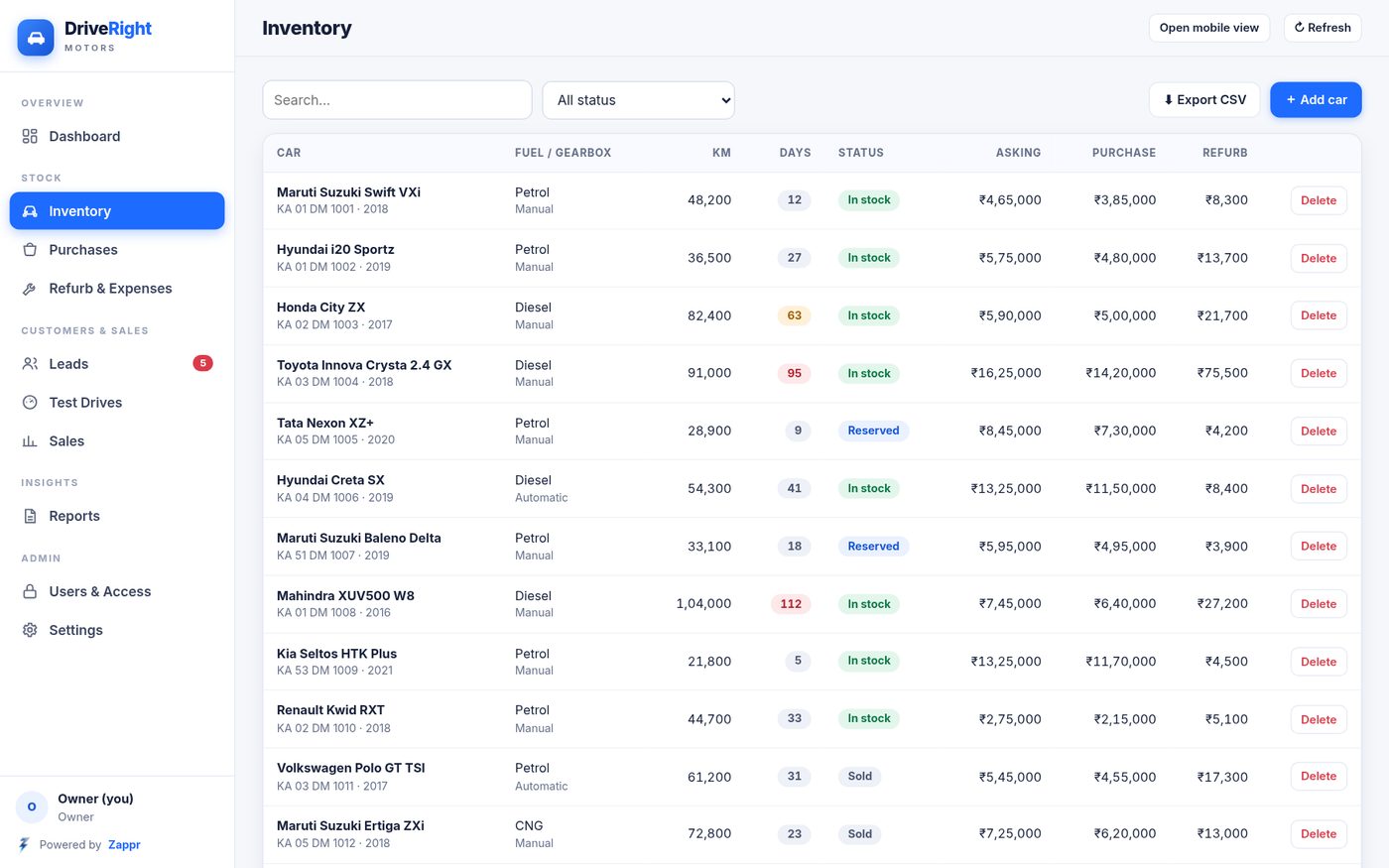
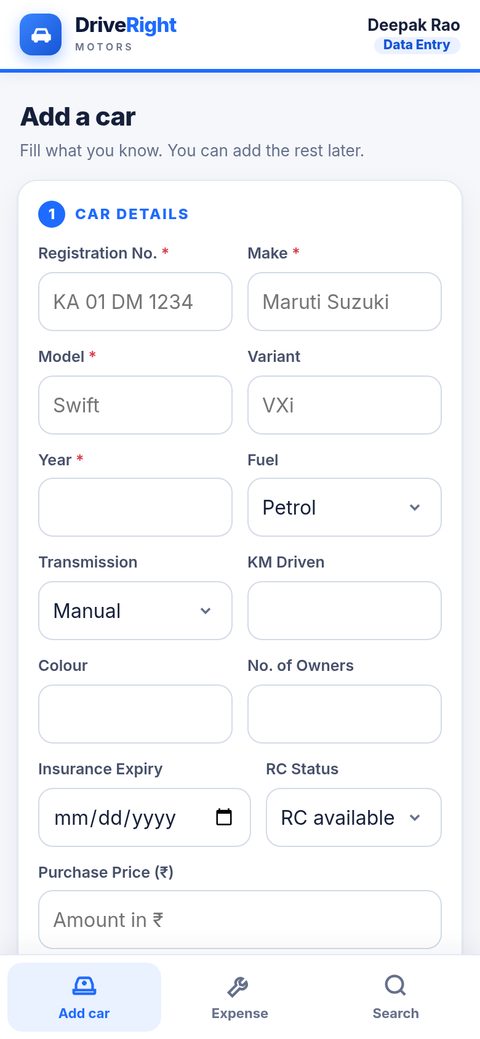
Make, model, variant, year, fuel, gearbox, km, colour, registration number, owners, insurance expiry, RC status and photos. Each car shows how many days it has been in stock.
Zappr / Our apps / Used Car Dealer App
For used car dealers & showrooms
Track stock, documents, repairs, leads, sales and RTO transfers in one app. Your owner dashboard shows profit on each car, while your data entry staff only see simple forms.
DriveRight Motors is a demo showroom we made up to show the app. All names, cars, phone numbers and registration numbers on this page are sample data.
Key features
Make, model, variant, year, fuel, gearbox, km, colour, registration number, owners, insurance expiry, RC status and photos. Each car shows how many days it has been in stock.
Record the seller and what you paid, then tick off RC, insurance, PUC, NOC, Form 29 and Form 30 as Received, Pending or Not applicable.
Log every repair or cost against the car, with category, vendor and amount. Total refurb cost and total cost per car work themselves out.
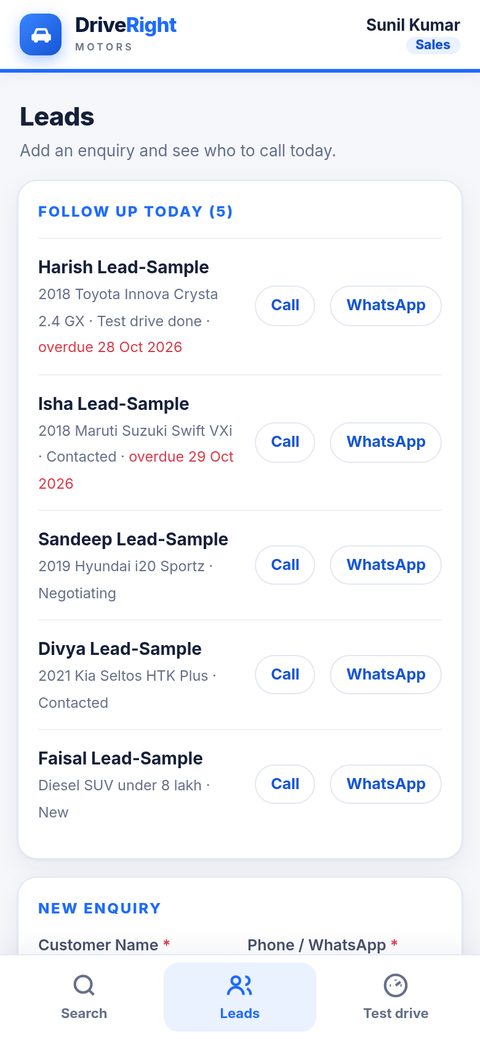
Customer, phone, car they want, source, budget and next follow-up date. On a phone, Call and WhatsApp buttons sit right next to each lead.
Date, time, car and customer, with a note that the licence was checked and how the drive went.
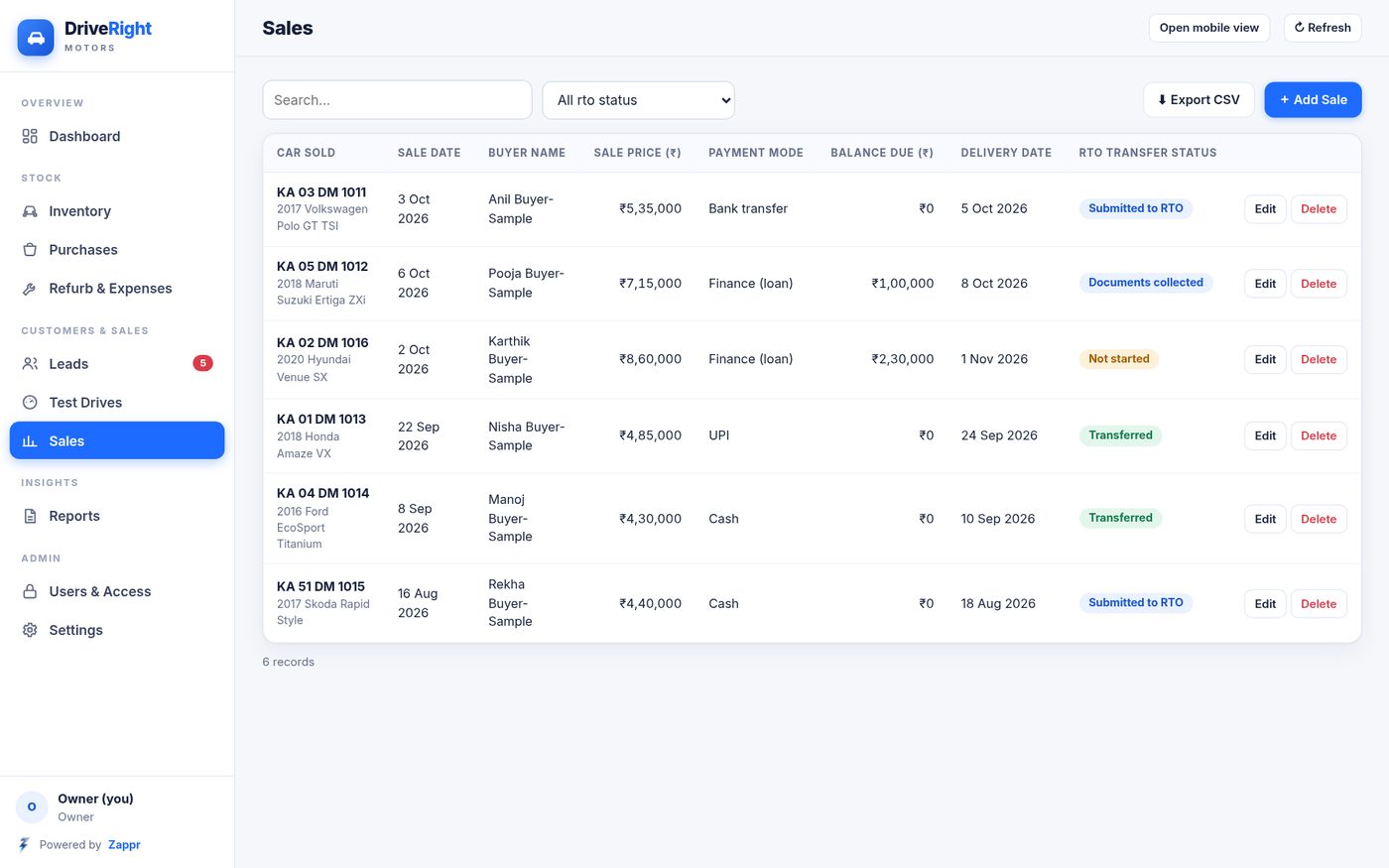
Buyer, sale price, payment mode, finance bank and loan, token or advance and other payments. The balance due is calculated for you. Recording a sale marks the car as Sold.
See at a glance which sold cars are Not started, Documents collected, Submitted to RTO or Transferred, so no ownership transfer is forgotten.
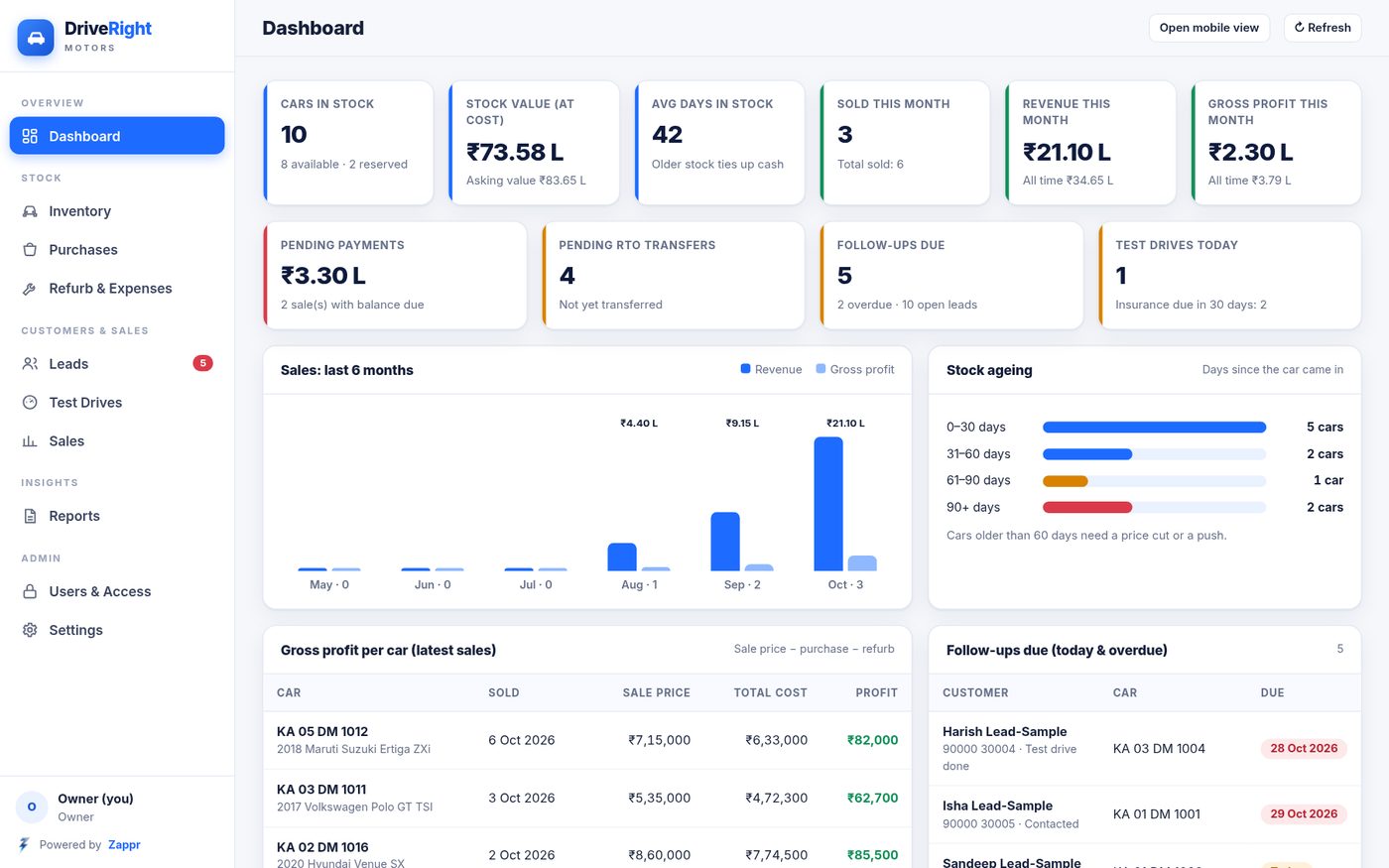
Cars in stock and their value, stock ageing, sold this month, revenue, gross profit per car, pending payments, pending RTO transfers, follow-ups due today and insurance expiring.
Profit per car, stock margin, expenses by category, pending payments and pending RTO transfers, with CSV download for your accountant.
The owner gets the full dashboard and tables on a computer. Staff get simple entry forms and quick search on their phone, with photo upload from the phone camera.
Access is set by Gmail address. Data Entry staff can add cars and expenses but cannot see prices, profits, sales or reports. Sales staff cannot see what you paid or your profit.
Open a link and sign in with Gmail. There is nothing to install from an app store, and it runs on Google's own infrastructure.
Inside the app
The owner dashboard shows stock count and value, how long each car has been sitting, this month's sales and the gross profit on every car sold. Older stock is flagged so you can cut the price or give it a push.
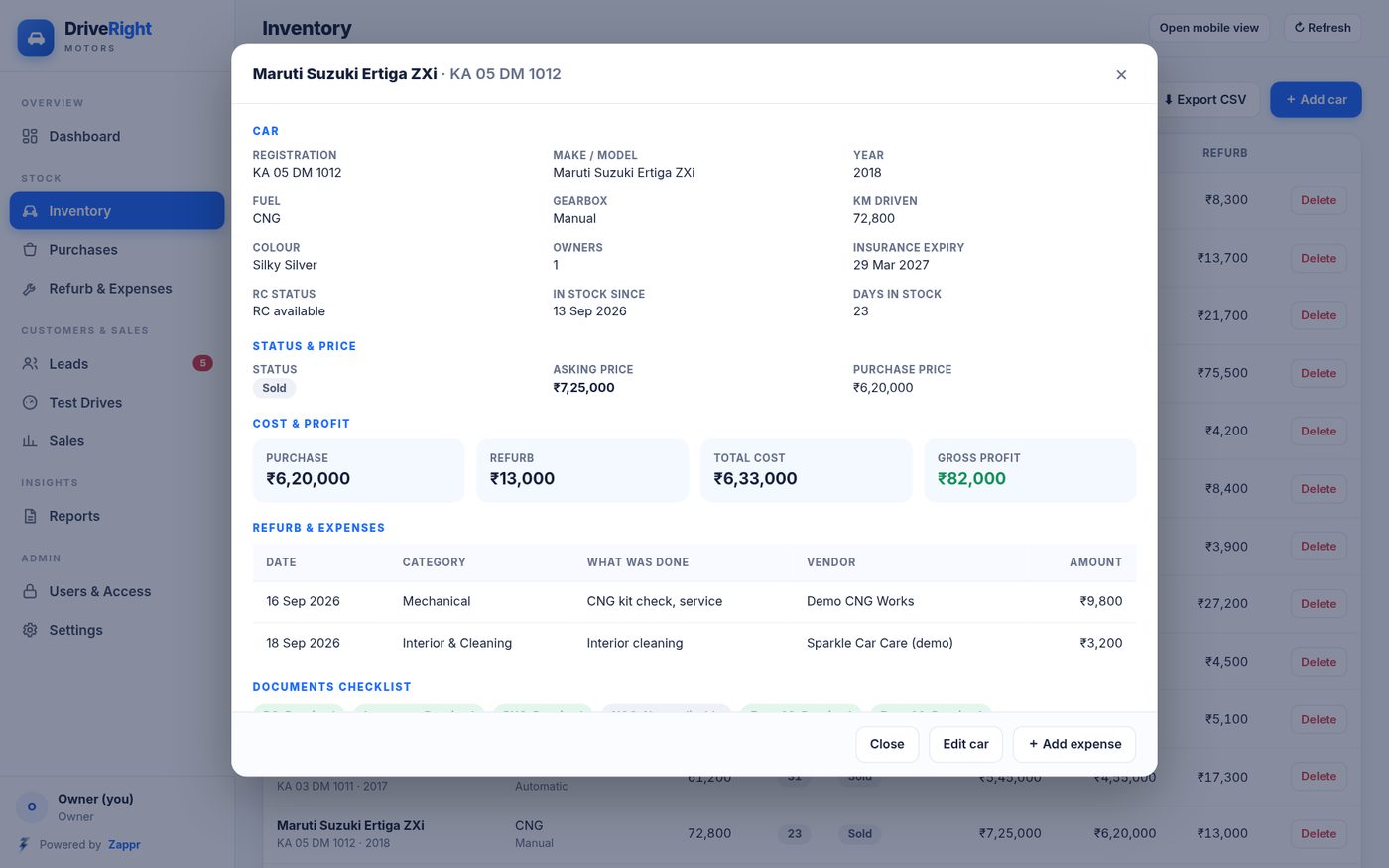
Open any car to see its details, what you paid, each repair or expense and the gross profit. The documents checklist sits on the same page.
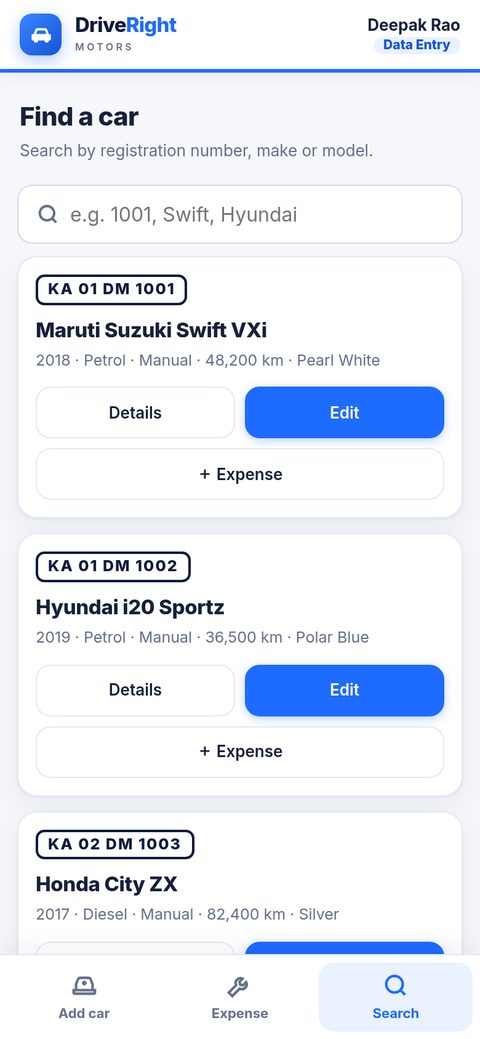
Search by registration, make or model and filter by status. Each car shows fuel, gearbox, km, days in stock, status, asking price, purchase price and refurb cost.
Record the sale price, payment mode, finance and token. The balance due is worked out by the app, and the RTO transfer status stays next to every sale until it is Transferred.
A data entry person gets only three screens on the phone: Add car, Expense and Search. They can type in what you paid, but they can never see it, and searching will not reveal a price either. Sales staff get leads, test drives and their own home page.
Your data, your control
The app runs on a Google Sheet in your showroom's own Google account. Zappr doesn't keep your records on any server of ours. You decide who gets in, and you can take everything out whenever you like.
Tell us how your showroom works. We will set up the app with your name, logo, car fields and staff roles.